Find the Clover system that fits the way your customers order, your employees work and your business grows.
Clover is not a single terminal. It is a connected family of mobile, handheld, countertop and self-service tools that can combine payment acceptance with compatible business-management software. VCCP helps merchants evaluate the workflow first, then select the hardware and merchant-services pathway that supports it.


Start With How You Serve
The most attractive device is not automatically the right device. Think about where checkout happens, whether employees move through the business, whether customers need a dedicated screen and which tasks the system must support beyond accepting a card.
Mobile and Handheld
Take payments to the customer, table, event or sales floor.
Clover Go · Flex · Flex Pocket
Compact Countertop
Save counter space while adding more capability than a traditional terminal.
Full Countertop POS
Give employees a larger workspace and choose whether customers need their own checkout screen.
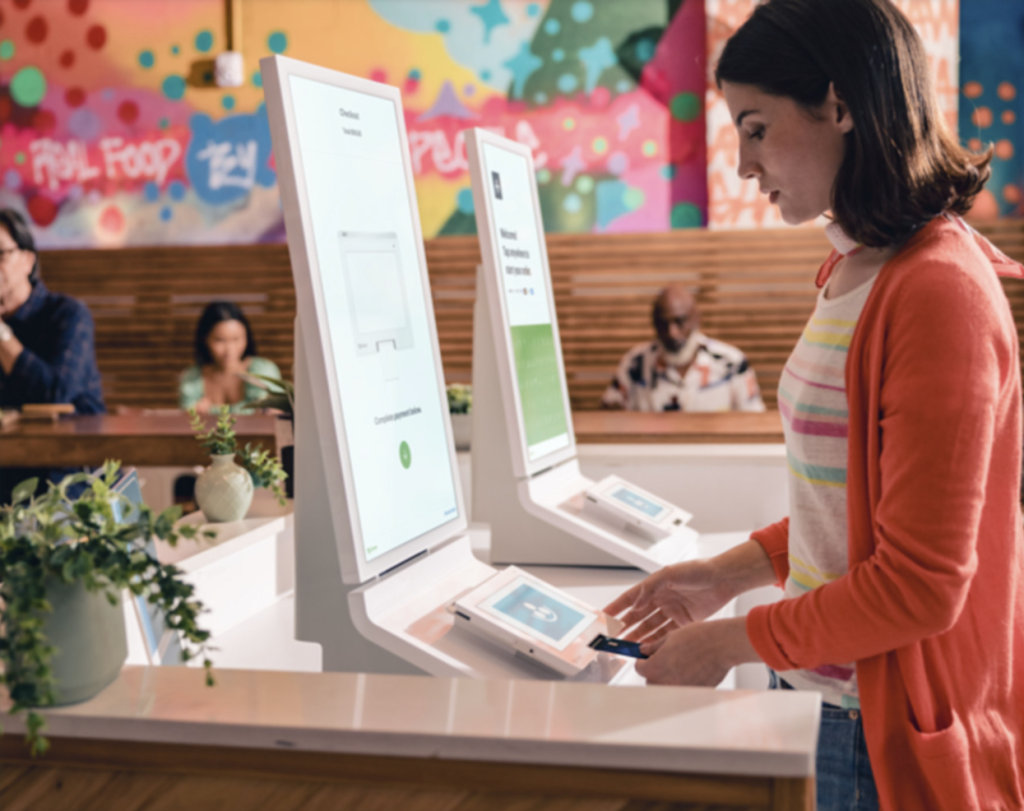
Self-Service
Let guests browse, customize, order and pay through a compatible restaurant kiosk workflow.
Quick Clover Comparison
| Device | Best starting point for | Standout characteristic |
|---|---|---|
| Clover Go | Mobile and occasional checkout | Works with a compatible phone or tablet |
| Clover Flex | Tableside and mobile service | Handheld with integrated receipt printer |
| Flex Pocket | Lightweight handheld service | Printerless with digital receipts |
| Clover Compact | Payment-focused counters | Physical keypad and small footprint |
| Clover Mini | Compact countertop POS | Touchscreen, payments and built-in printer |
| Station Solo | Full employee-facing checkout | Large display, printer and cash drawer |
| Station Duo | High-traffic customer checkout | Employee and customer-facing screens |
| Clover Kiosk | Compatible self-ordering workflows | Large ordering screen and integrated payment |
Multiple Clover Merchant-Services Pathways
Maverick
VCCP can explore Clover availability through Maverick for eligible merchants. The available equipment, processing configuration, underwriting and account terms must be confirmed for the individual business.
CardConnect
VCCP can also explore Clover through CardConnect. This gives us another route for evaluating equipment and merchant-services fit rather than sending the merchant directly to Clover.
What VCCP Reviews Before Recommending Clover
- Where customers order and pay
- Whether employees remain at a counter or move through the business
- Menu, inventory, reporting, employee and loyalty requirements
- Receipt, cash-drawer, barcode, kitchen and accessory needs
- Internet, Wi-Fi, ethernet and available cellular connectivity
- Merchant-account eligibility, processing compatibility and underwriting
- Current equipment, future growth and multi-location plans
The goal is not to sell the most hardware. It is to build the simplest Clover configuration that supports the business today and can grow when the business is ready.
Explore the Clover Product Family
Clover offers flexible payment and point-of-sale options for businesses of different sizes and service styles. Compare the devices below, or contact VCCP for help matching hardware and software to your operation.
- Clover Compact — streamlined countertop payments.
- Clover Flex — handheld POS with an integrated printer.
- Clover Flex Pocket — lightweight handheld service with digital receipts.
- Clover Go — mobile payments with a compatible phone or tablet.
- Clover Kiosk — self-ordering for compatible restaurant workflows.
- Clover Mini — compact countertop POS with room to grow.
- Clover Station Solo — a full employee-facing countertop POS.
- Clover Station Duo — full POS with a customer-facing screen.
Multiple Clover Pathways Through VCCP
VCCP can help eligible merchants explore Clover through multiple merchant-services partners, including Maverick and CardConnect. Other partner options may also be available. Underwriting, pricing, equipment availability, software plans, processing compatibility and account terms can vary. We will help you compare the available options before an application or equipment order is started.
Visit the Clover overview to compare the family, or browse additional options on the POS Equipment page.